Trying self-hosted software normally costs you an afternoon before you’ve even decided you want it. Spin up a VM, open the right ports, work through the marketplace listing’s prerequisites, and hope the image boots the way the documentation says it will.
That setup tax is the real reason a lot of evaluations never happen — not because the product wasn’t a fit, but because nobody got far enough to find out.
Starting now, you no longer have to worry about that with SFTP Gateway. We’ve launched a free 14-day hosted trial of SFTP Gateway that starts instantly in your browser, with zero setup on your end.
What’s Actually in the Trial
When you sign up, Thorn spins up a dedicated environment on our infrastructure so you can try the full product without provisioning anything yourself. From there, you can:
- Add your own SFTP users and issue SSH keys
- Connect your own Amazon S3, Azure Blob, or Google Cloud Storage bucket and move real files through it
- See exactly how SFTP Gateway behaves before deciding whether to deploy it, which, long-term, is inside your own cloud account, where the product is built to live
That last point matters: the hosted trial is a fast way to evaluate SFTP Gateway, not a change to how it’s meant to run in production. Once you deploy for real, it goes into your own AWS, Azure, or Google Cloud account, same as always.
What the First Few Minutes Look Like
After you sign up, Thorn’s team sends you a trial email with a username, a generated password, and a hostname. Paste the hostname into your browser and log in with those credentials to reach the SFTP Gateway web UI.
From there, the interface is the same one you’d use in production: Users, Folders, Settings, and Diagnostics tabs across the top. Add a user, generate and attach an SSH key, and SFTP Gateway automatically creates a matching folder for that user, mapped to your connected cloud storage. Settings is where you’d configure cloud connections, identity providers, encryption, and backup, and Diagnostics gives you system info, license details, and logs.
To move a file, connect with any SFTP client — FileZilla is the one we use in the walkthrough. Point it at the hostname from your trial email, select key-file authentication, point it at the SSH key you generated, and connect.
We put together a two-minute video walking through exactly this: logging in, creating a user, adding an SSH key, and connecting with FileZilla. Watch it here.
Getting Started – Try SFTP Gateway Free
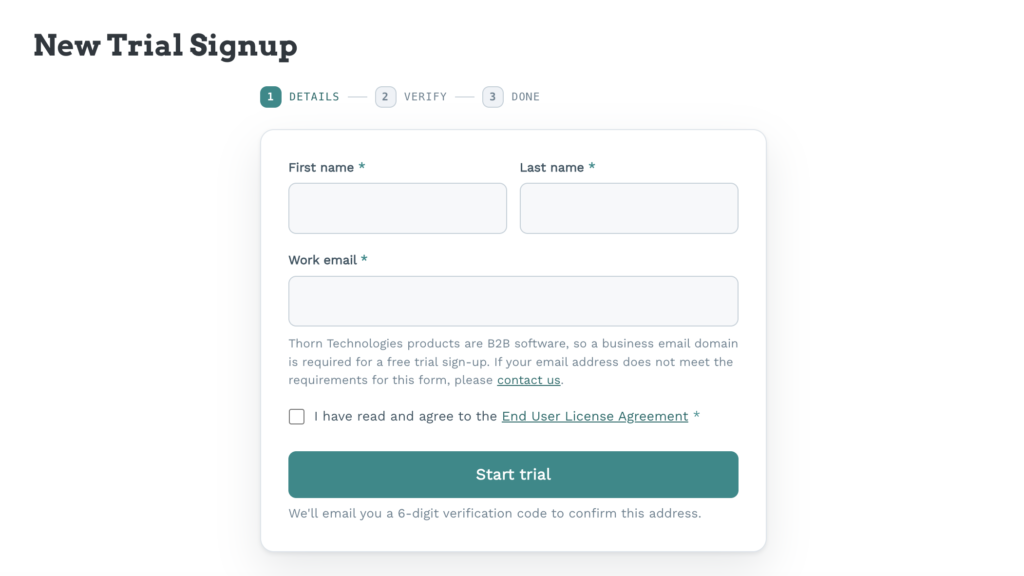
No credit card and no sales call — just your name and a business email address.
Start your free 14-day hosted trial of SFTP Gateway
If you run into anything during the trial or have questions about mapping it to your own environment, reach out to our support team or schedule some time with a sales representative.
About Thorn Technologies
Thorn Technologies specializes in cloud-native file transfer solutions for enterprises. Our SFTP Gateway and StorageLink products serve organizations worldwide, delivering the security and reliability of traditional managed file transfer solutions with the flexibility and cost efficiency of modern cloud infrastructure.